Ask your database. It answers.
Type your question the way you would say it. Datlas writes the SQL, shows it to you for review, and brings back the result and the chart. When you want them, the dashboard and the alert are right there too.
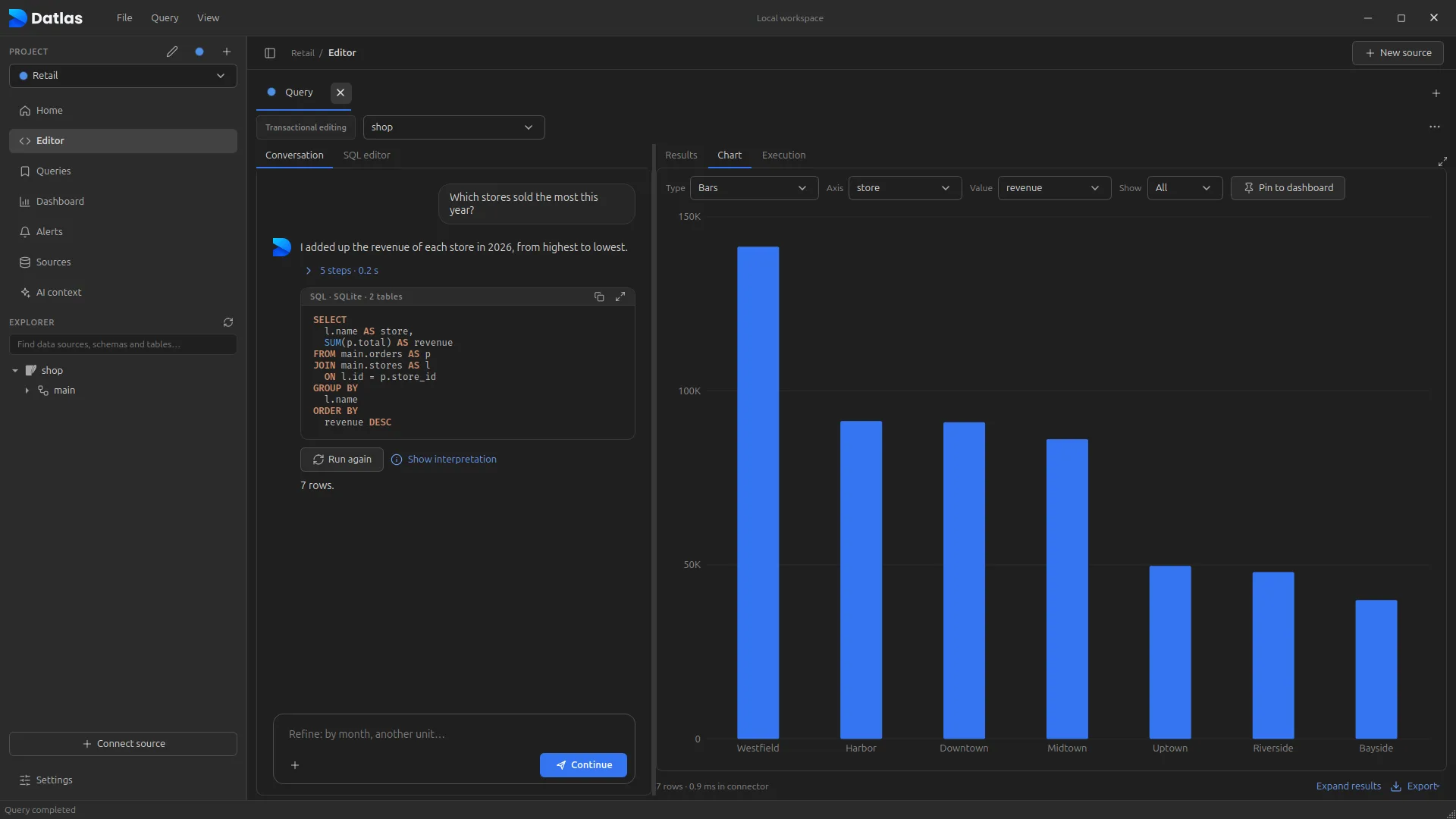
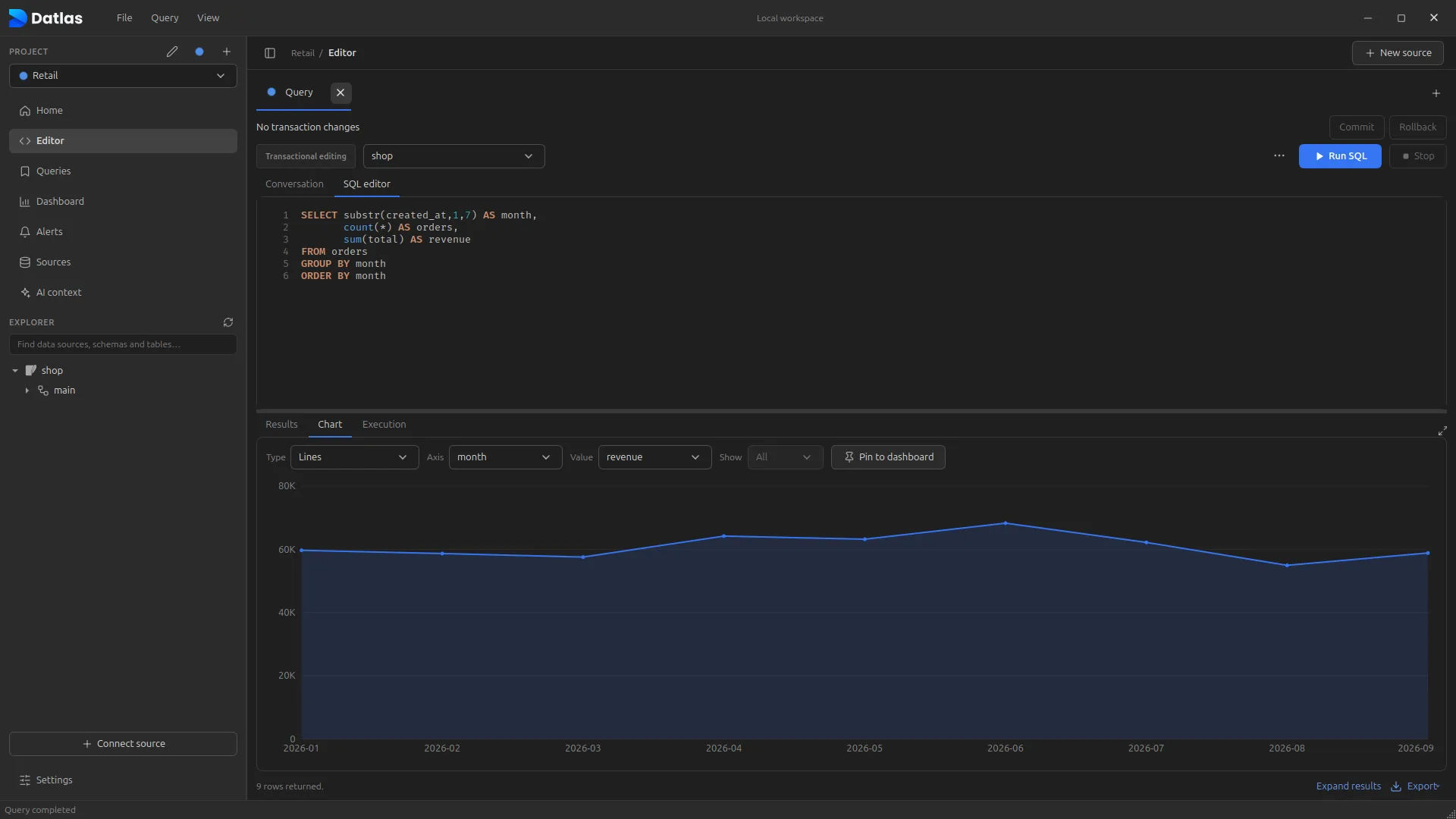
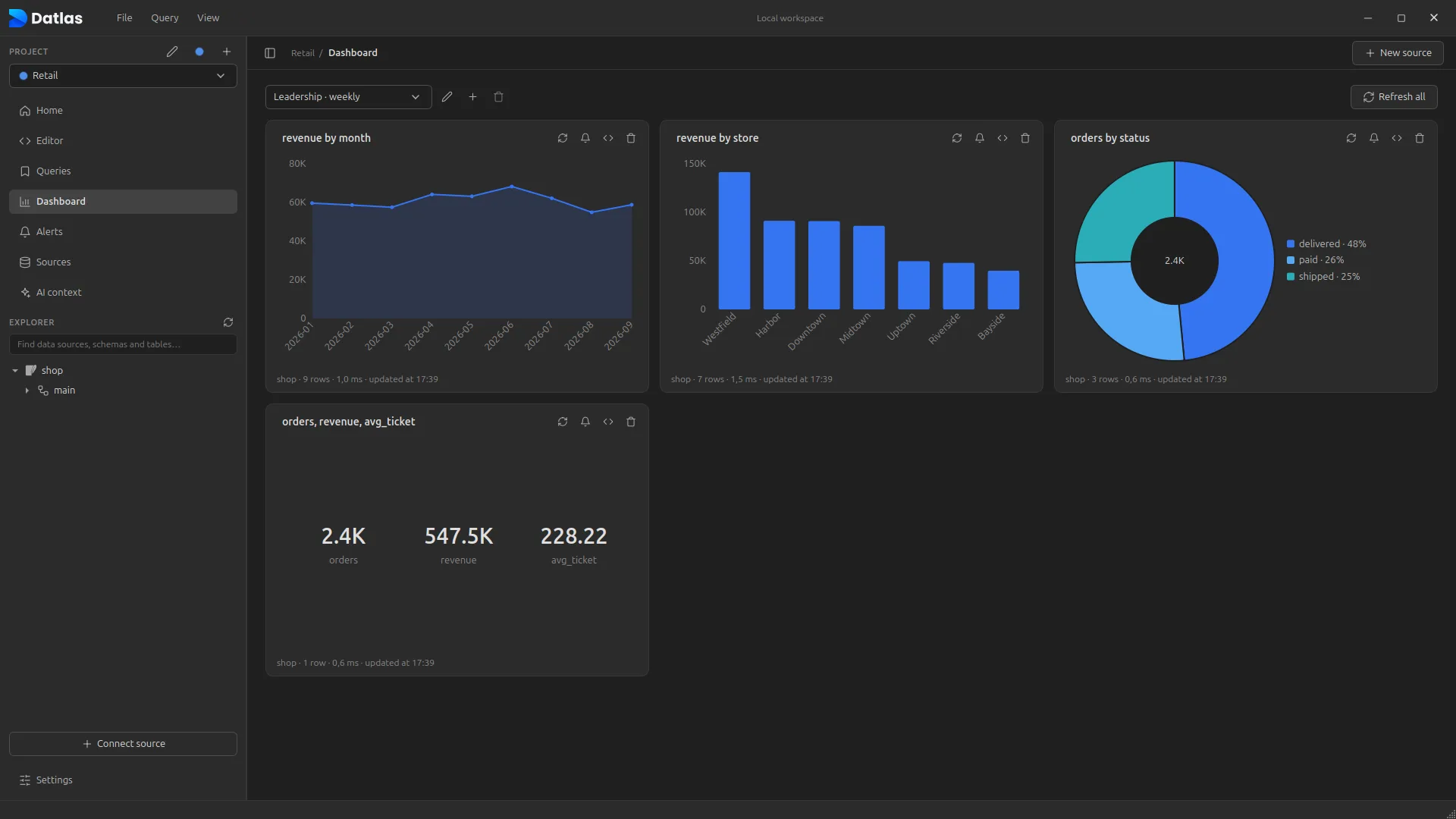
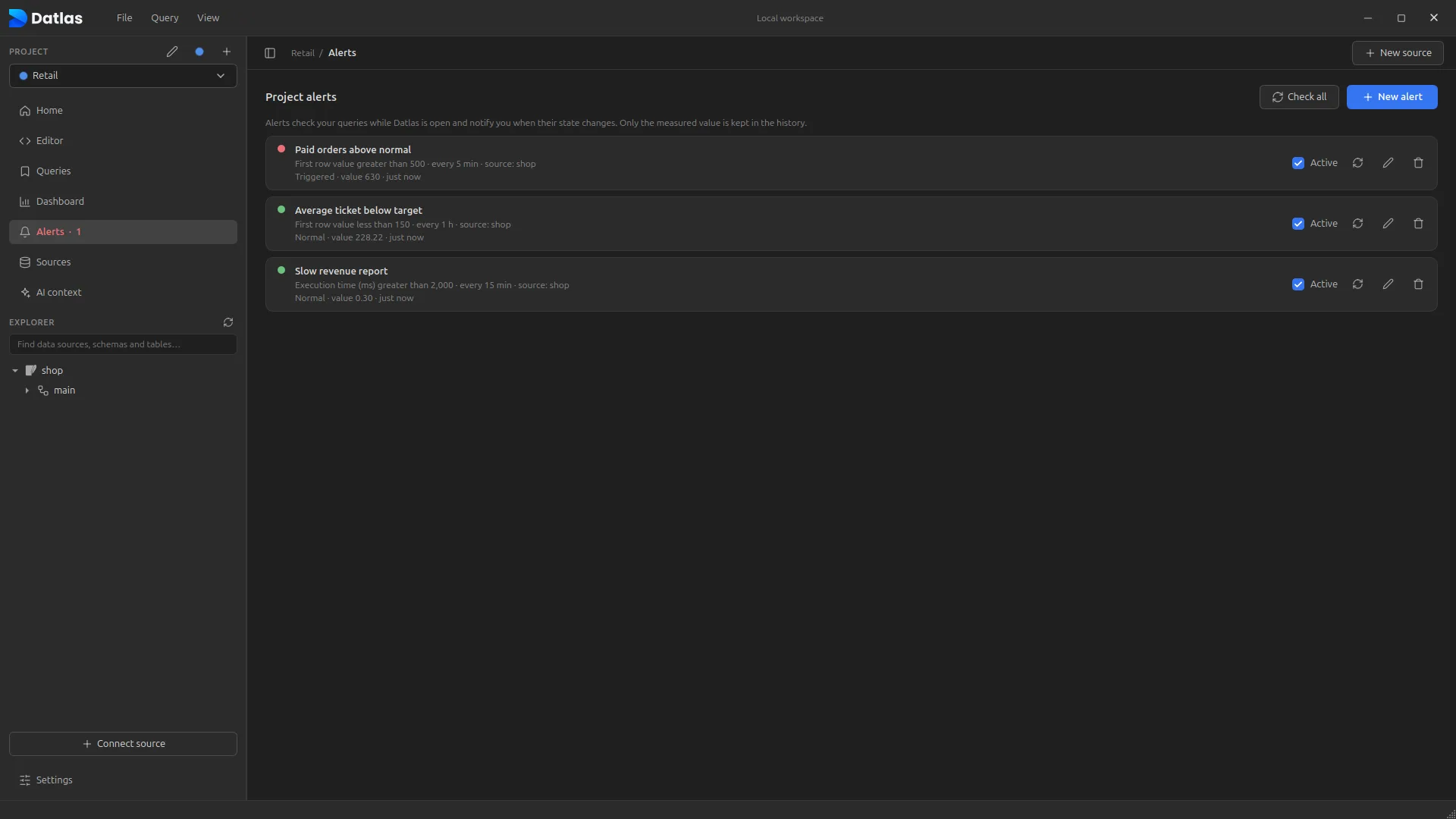
Your question becomes reviewable SQL, with the result and the chart on the same screen.
Every decision waits on someone who knows SQL.
The number is in the database. But between the question and the answer there is a ticket, a queue and a spreadsheet that shows up after the meeting is over.
Instead of filing a ticket with the data team, you type the question the way you would ask an analyst.
The SQL shows up instantly, validated against the real database schema, and runs in read-only mode.
Pin the number to a dashboard and create an alert. Datlas keeps watch and tells you when something changes.
One place to ask, see and keep watch over your data.
WITH first_timers AS (
  SELECT customer_id, min(created_at) AS first_order
  FROM sales.orders GROUP BY customer_id)
SELECT round(avg(p.total), 2) AS avg_order_value …
It is also your database IDE.
Editor, backup, export and restore in one app. No installing pg_dump, mysqldump or a database client on every machine.
- Runs and stops on the database itselfCtrl+Enter runs the statement at the cursor. Ctrl+F2 cancels it on the server, not just on screen.
- Dump and restore with no extra tools.sql backups of a table, a schema or the whole database. Restore into PostgreSQL, SQLite, MySQL and MariaDB with all the data in a single transaction: if anything fails, no row is written.
- Exports everything, not just the screenCSV, Excel, JSON or SQL with every row of the table or query, with progress and a cancel button.
- Generates SQL from the explorerSELECT, INSERT, UPDATE, DELETE and DDL for any table, opened in a new tab for you to tweak.
- Joins across sourcesPostgreSQL with MySQL, or with a CSV spreadsheet, in the same query.
- Shows what ranEvery statement with timestamp, rows and duration. One click takes you to it in the editor.
Your data stays where it is.
Datlas runs on your machine and talks directly to your databases, with the permissions they already enforce. No copying your data into someone else’s cloud.
Real governance, without blocking people who need the data.
For companies, Datlas talks to databases through the company’s own security proxy. The laptop never sees the database password, every operation is authorized by policy and everything is audited.
Datlas on the desktop
- Sign in with your company account
- No database passwords on the machine
Datlas security proxy
- SSO with Entra ID, Google or Okta, or email and password
- Policy by project, source and schema
- Production read-only by default
- Audit of every query and change
Your databases
- Credentials only in the central vault
More databases on the way
Centralized credentials
Database passwords live in the company server’s vault. When someone leaves the team, their access ends instantly, with no database password to rotate.
Single sign-on (SSO)
Sign in through your company’s identity provider via OIDC with PKCE, with MFA and the rules you already use. No SSO? Invite-only accounts, with strong passwords and lockout after failed attempts.
Access policies
Who reads, who writes and in which schemas, per project and per source. The server authorizes every operation; the UI never decides on its own.
Complete audit trail
Who ran what, on which database and when. A timeline per project, with filters and export for the security team.
Governed changes
Production edits only where policy allows, inside a transaction, with a review of what changes and a logged commit.
AI under company control
Provider, model and key set by admins. The app uses the company’s AI without ever seeing the key, and every request is audited along with the model used.
Governance server hosted by us or on your company’s infrastructure. Tell us about your setup and we will reach out.
Stop waiting for the report.
Connect a database, ask your first question and see the number on screen.
One-click install, kept up to date by the Store.
Store blocked on your work computer? Use the .exe installer, which also updates itself.
curl -fsSL https://datlasdb.com/apt/install.sh | sudo sh Paste it in a terminal: it installs Datlas and keeps it updated with the system (sudo apt upgrade).
Fedora, Arch or another distro? Use the AppImage (make it executable and open it) or the .tar.gz with ./install.sh.